20.9k stars · MIT · v1.11 (2026-07-20) · Track this in Rising ↗
Real-time nginx log analyser — the first honest traffic numbers, from data already on the server, with no JavaScript and no consent banner.
Radar check
What we found when we opened it. Every bar is one fact, with its date.
Last code pushed 21 Oct 2026, 7 days before this check.
No releases published on GitHub; the code date above is the one to trust.
Public since July 2013, a little over 13 years.
21,080 stars and 1,203 forks.
56 commits and 14 new issues in the last 90 days.
190 contributors. 4 pull requests merged in 90 days.
A security policy says how to report a problem. 4 published security advisories.
How the bars are scored
- Alive. Days since the last code push: a week or less 100, a month 90, three months 70, six months 50, a year 30, eighteen months 15, older 0.
- Releases. Age of the latest GitHub release, on a similar scale; no bar when the project publishes no releases.
- Maturity. Age of the project: eight years 100, five 90, three 70, two 55, one 40, six months 25, younger 10.
- Adoption. Stars on a log scale: 100,000 stars is 100, 10,000 is 80, 1,000 is 60, 100 is 40.
- Activity. Commits in the last 90 days: 300 or more 100, 100 85, 30 65, 10 45, any 25.
- Community. People who have contributed: 100 or more 100, 30 80, 10 60, 5 40, 2 25, one 10.
- Security. A published security policy 80, none 40; published advisories are listed, not scored.
Checked by Repo Radar on 25 Oct 2026 from the repository on GitHub. Covered in Edition 8.
▶Repo detailsthe review · specs · pros & cons · install
What it does
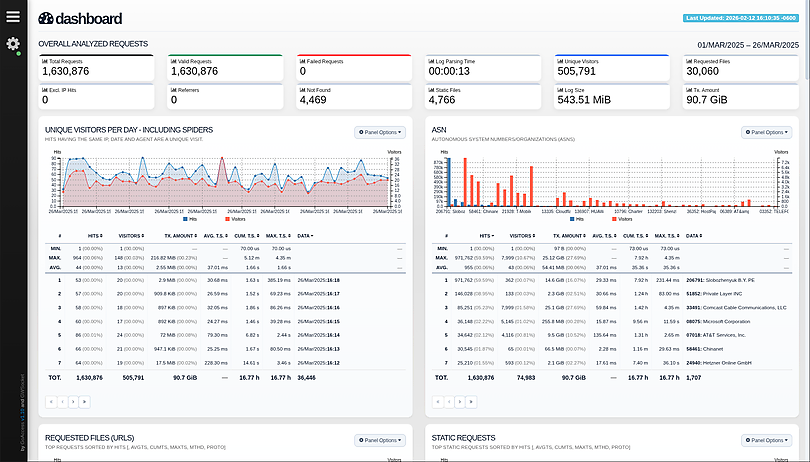
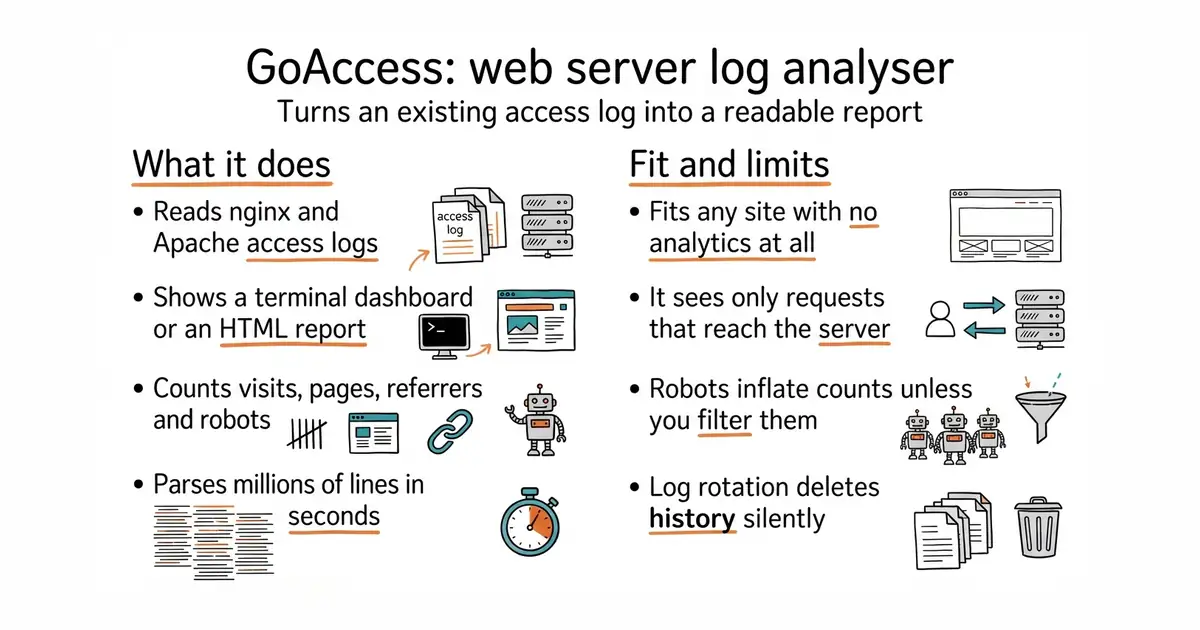
It reads the access logs that nginx and Apache already write. It parses them and produces either a live dashboard in a terminal window or one self-contained HTML file you can open in a browser. It reports visitor counts, the most requested pages, referring sites, status codes, bandwidth and the user agents that made each request. Because it reads the server's own records, it sees requests from visitors with ad blockers, requests to an API rather than a page, and AI crawlers such as GPTBot, ClaudeBot and PerplexityBot. It is written in C, uses a few megabytes of memory, and parses millions of lines in seconds. The current stable version is 1.12, published on the project's own site. It cannot see anything that never reaches the server, so there is no scroll depth, no click tracking and no signup funnel.
Why it matters
Who it suits. Anyone running a site with no analytics at all, who wants a real number today rather than a better number next month. It also suits people who need to know which AI crawlers are visiting, because a JavaScript tracker cannot see them. Skip it if the site is hosted somewhere that gives you no access to the raw logs.
Verdict. The best twenty minutes on this page. Going from nothing to a real visitor count is a bigger step than any refinement afterwards. Two cautions: log files count robots as visitors unless you configure the filters, and log rotation will quietly delete history unless retention is set deliberately. Umami remains the right next step for behaviour on the page, and Matomo is the fuller self-hosted option if a complete analytics product is wanted.
Summary (Key Points)from the README
Key features
- Live updates: Terminal panels refresh every 200 ms, and the HTML output refreshes every second.
- Response time tracking: Measures how long requests take to serve, which helps find slow pages.
- Broad log format support: Accepts custom format strings and predefined formats such as Apache, Nginx, Amazon S3, Elastic Load Balancing, CloudFront, Caddy JSON, and IIS W3C.
- Incremental processing: On-disk persistence lets new log data be appended to a saved dataset with `--persist` and `--restore`.
- Single dependency: Written in C, it needs only ncurses and includes its own WebSocket server.
- Virtual host panel: Shows which virtual host uses the most server resources.
- UTM campaign breakdown: Splits campaign traffic by medium, source, campaign, content, and term, taken from the requested URL.
- Bot classification: Places AI crawlers and Fediverse (ActivityPub) traffic in categories separate from search engine crawlers.
- ASN filtering: Maps traffic to autonomous systems, and `--exclude-asn` drops whole networks during parsing.
- Large dataset handling: Uses in-memory hash tables with multi-threaded parsing via `--jobs`, and `--chunk-size` ranges from 256 to 32768 (default 1024).
Ways to install
| Platform or method | What it needs | Effort |
|---|---|---|
| Build from release | A *nix system, ncurses, and build tools such as gcc and autoconf | Compile from source |
| Build from GitHub (development) | Git, ncurses, and build tools | Compile from source |
| Debian/Ubuntu (distribution repo) | System package manager | Package install, possibly an outdated version |
| Official GoAccess Debian/Ubuntu repo | Repository setup, with apt-transport-https if using HTTPS | Package install, latest stable version |
| Fedora, Arch, Gentoo, openSUSE, OpenIndiana, FreeBSD, OpenBSD, pkgsrc | Distribution package manager | Package install, version varies by distro |
| OS X / Homebrew | Homebrew | Package install |
| Windows via Cygwin or WSL | Cygwin packages or the Windows Subsystem for Linux | Environment setup, then install |
| Docker | Docker, with volume mapping and goaccess.conf for configuration | Pull or build image, plus configuration |
| Isolated container build | Docker, to build a Debian-based binary without local dev libraries | Container build |
Important
- Outdated packages: Distribution packages, especially Debian/Ubuntu's default, may lag behind the latest version.
- Windows support: Windows works only through Cygwin or the Windows Subsystem for Linux, not natively.
- Piped input: Piping data does not prompt for log format, date, or time settings, so these must be set in the config file or on the command line first.
- TLS for real-time output: Real-time output over TLS/SSL requires both `--ssl-cert` and `--ssl-key`.
- Memory limit: In-memory storage is limited by available physical memory.
- Restore compatibility: `--http-method` and `--http-protocol` must match the settings used to create the database, or the restore is rejected.
- Exclusions and persisted data: ASN exclusions apply only to newly read records, not to data already restored from persistent storage.
- SSH usage: Use `-n` with SSH so GoAccess can read from stdin, and use SSH keys, since passphrase prompts will break the pipe.
- Mac command difference: On Mac OS X, use `gunzip -c` in place of `zcat`.
- Map data: The bundled country map includes a Crimea adjustment that should be preserved when updating `resources/countries-110m.json`. Country assignments come from the GeoIP database, not the map.
Written by an AI model from the project’s README; not part of the review, and it can be wrong.
- Nothing is added to the website. No tracking code, no consent banner, no change to any page.
- It works retroactively, as far back as the logs are kept.
--real-time-htmlproduces a live dashboard at a URL, which is pleasant to leave open.
- Logs mislead in specific ways. One page view can be many lines, and robots inflate every count.
- It sees only what touches the server. No clicks, no scrolling, no conversion tracking.
- Log rotation deletes history silently unless retention is configured on purpose.
sudo apt install goaccess
goaccess /var/log/nginx/access.log --log-format=COMBINED -o report.html
# live dashboard at a URL
goaccess /var/log/nginx/access.log --log-format=COMBINED \
  --real-time-html -o /var/www/html/report.html