91.5k stars · MIT at the root, with app/proprietary/, app/saas/, engine/ and several frontend directories carved out under separate licences · v2.14.3 (2026-08-06) · Track this in Rising ↗
About fifty PDF operations in one self-hosted container — nothing leaves the machine.
Radar check
What we found when we opened it. Every bar is one fact, with its date.
Last code pushed 24 Oct 2026, 3 days before this check.
Latest release v3.2.2 on 24 Oct 2026.
Public since January 2023, a little over 3 years.
94,941 stars and 11,059 forks.
790 commits and 174 new issues in the last 90 days.
319 contributors. 801 pull requests merged in 90 days.
A security policy says how to report a problem. 16 published security advisories.
How the bars are scored
- Alive. Days since the last code push: a week or less 100, a month 90, three months 70, six months 50, a year 30, eighteen months 15, older 0.
- Releases. Age of the latest GitHub release, on a similar scale; no bar when the project publishes no releases.
- Maturity. Age of the project: eight years 100, five 90, three 70, two 55, one 40, six months 25, younger 10.
- Adoption. Stars on a log scale: 100,000 stars is 100, 10,000 is 80, 1,000 is 60, 100 is 40.
- Activity. Commits in the last 90 days: 300 or more 100, 100 85, 30 65, 10 45, any 25.
- Community. People who have contributed: 100 or more 100, 30 80, 10 60, 5 40, 2 25, one 10.
- Security. A published security policy 80, none 40; published advisories are listed, not scored.
Checked by Repo Radar on 25 Oct 2026 from the repository on GitHub. Covered in Edition 11.
▶Repo detailsthe review · specs · pros & cons · install
What it does
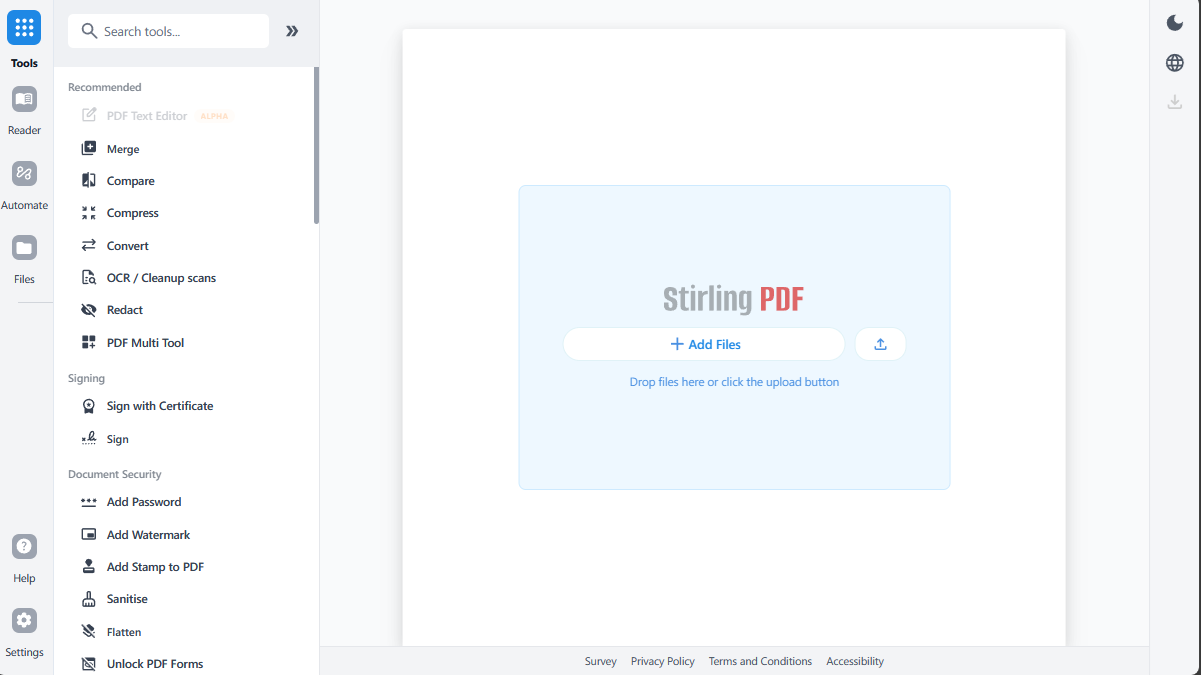
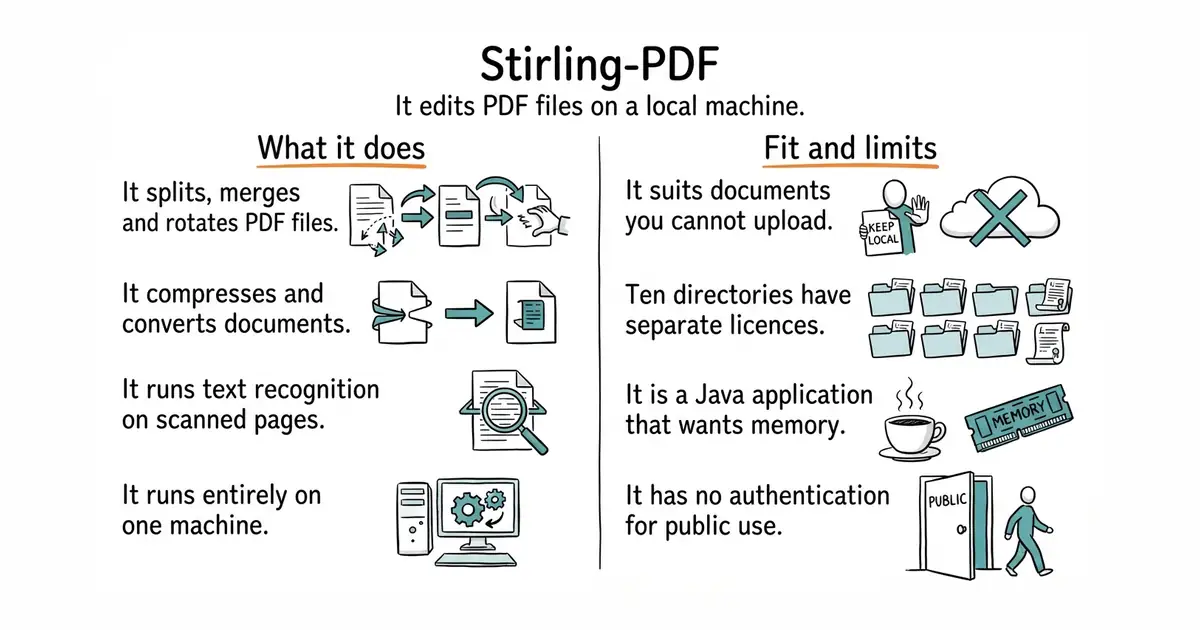
You run one container and open a page in a browser. From there it offers around fifty operations: split, merge, rotate, reorder, compress, convert to and from other formats, extract images, add or remove passwords, redact, sign, fill forms, and run OCR, which means optical character recognition, the step that turns a scanned picture of text into text a computer can search. A newer editor allows page-level changes in the browser. Everything runs on the machine the container is on, so no file is uploaded anywhere else. What it does not do is stay entirely open: the project now describes itself as open-core, meaning the main code is MIT but a growing list of directories is held under separate terms, and there is a paid server and enterprise offering above it. It also has no authentication worth exposing to the internet.
Why it matters
Who it suits. Anyone who handles PDFs they would not post to a stranger's website: unpublished marketing material, contracts, scanned records, other people's documents. It also suits anyone assembling a set of genuinely messy multi-page files to test a document-reading tool against, because splitting, rotating and OCR are exactly what that needs. Skip it if PDFs come up twice a year and none of them is sensitive, because a command-line tool will do those two jobs with far less running.
Verdict. Worth having on a local machine, and the honest framing is that it is a bench tool rather than a monthly saving. Three things changed since this edition first ran and all three matter. The project is at version 3.1.0, dated 5 October 2026, with code on 11 October 2026, so it is moving fast. Its own description is now "open-core" rather than MIT, and the licence file carves out ten directories under separate terms, including engine/, app/saas/ and several front-end folders; running the free self-hosted build is fine, and assuming the whole repository is MIT is not. And it remains a Java application that wants real memory, so read the requirements before adding it to a small shared machine. Never expose it to the internet without something asking for a login first: it will happily process whatever anyone uploads, using your hardware.
Summary (Key Points)from the README
Key features
- Three ways to run it: Use it as a personal desktop app, in the browser, or as a self-hosted server with a private API.
- 50+ PDF tools: Edit, merge, split, sign, redact, convert, OCR, compress, and more.
- No-code workflows: Build automation pipelines in the UI, or drive them through APIs to process millions of PDFs.
- REST APIs: Nearly all tools are available through REST APIs for integration with existing systems.
- Private processing: Documents are handled on your own infrastructure rather than sent to external services.
- Enterprise options: The README lists SSO, auditing, and flexible on-prem deployments.
- Global UI: The interface is available in 40+ languages.
- Translation support: A Translation Guide covers adding new languages.
Ways to install
| Platform or method | What it needs | Effort |
|---|---|---|
| Desktop app | Not stated in the README; see the Documentation Guide | Not stated |
| Browser UI | Not stated in the README; see the Documentation Guide | Not stated |
| Self-hosted server | Not stated in the README; see the Documentation Guide | Not stated |
| Kubernetes | Not stated in the README; see the Documentation Guide | Not stated |
Important
- Open-core license: The README says the project is open-core, so check the LICENSE file to see which features are open and which belong to the enterprise offering.
- Missing install details: The extracted README omits the Quick Start command and any system requirements, so the Documentation Guide is needed before installing.
- Unverified scale claim: "Millions of PDFs" is stated without benchmarks or supporting figures.
- Developer tooling: Contributors must use the Task runner (`task dev`, `task`) for build, dev, and test commands.
Written by an AI model from the project’s README; not part of the review, and it can be wrong.
- Around fifty operations in one container, running entirely on hardware you control.
- Very actively released: version 3.1.0 on 5 October 2026, with code on 11 October 2026.
- Useful across a whole workflow rather than in one corner of one task.
- No longer plainly MIT: the licence carves out ten directories under separate terms, and the project calls itself open-core.
- A Java application that wants real memory, so it is a poor neighbour on a small shared machine.
- No authentication fit for public exposure; anyone who can reach it can use it at your expense.
docker run -p 8080:8080 docker.stirlingpdf.com/stirlingtools/stirling-pdf